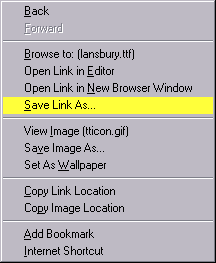
Figure 1
Contents:
Downloading Fonts
How
to install Fonts
 ,
Figure 1
Click on the Save
Link As.. section
and you will get another
box displayed, similar to Figure 2.
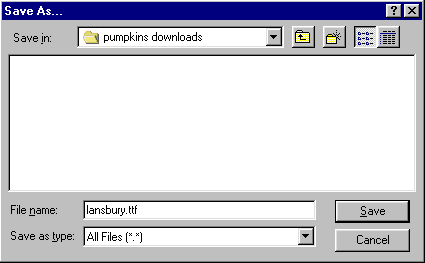
Figure 2
Make sure it is in the directory that you want as press the Save button.
Double click on My Computer
Icon 
next
Double click on Control
Panel Icon 
next
Double click on Fonts Folder
Icon 
Select File Install New Fonts..
and you will get the following box displayed, similar to Figure 3.
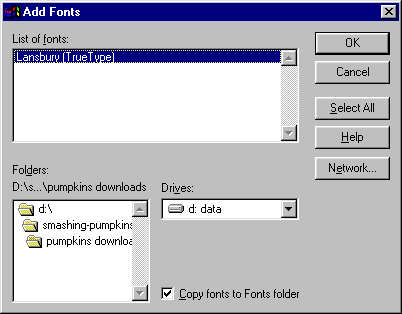
Figure 3
Select the font/s
you want to install and click the OK button.
Next time you start your
programs (Word, etc.) your fonts will be installed and ready to use.
